
Apply for your smart ID

Skip the queues and get your smart ID sorted. Apply online on the Department of Home Affairs website or visit selected branches where you can apply directly with us.
When your document is ready, simply collect it at one of our specialised branches.

Some of the benefits
Apply your way
Apply online via the Home Affairs website or visit a selected Standard Bank branch to complete your application in-person
Easy payment
For online applications, sign into your Online Banking profile to finalise payment. For in-branch applications, simply pay at the branch
Convenient process
Scan your fingerprints and have your pictures taken at your selected Standard Bank branch
Collect in-branch
Pick up your smart ID from the branch where you’ve applied
How it works
Applying in-branch:
Services available: Replacement of green ID to smart ID, smart ID reissuing (due to lost, stolen or damaged IDs), and smart ID replacement (due to marriage or divorce after your surname has been changed at the Home Affairs office).
- Your fingerprints will be scanned, and your picture will be taken in-branch
- Once your smart ID is ready, you can collect it from the branch
- We take walk-in applications. Simply visit a selected branch
Applying online:
Services available: First-time ID issuing, replacement of green ID to smart ID, smart ID reissuing (due to lost, stolen or damaged IDs), smart ID replacement (due to marriage or divorce after your surname has been changed at the Home Affairs office), first-time passport issuing and passport renewal.
- You’ll need to be registered for an Online Banking profile with us
- Your country of birth must be South Africa
- Visit the Home Affairs* website to complete and submit an application form
- Pay Home Affairs by signing into your Standard Bank Online Banking profile:
- Click on the Transact tab, select My Bills under the Pay category
- Click on Billing beneficiaries and select Dept of Home Affairs
- Once payment has been received, the Home Affairs system will allow you to make an appointment at one of our specialised branches
- Print and keep your booking confirmation letter and reference number
- Visit your selected Standard Bank branch on your appointment date with your ID to scan your fingerprints and have your picture taken
- Home Affairs will then send you an SMS when your smart ID or passport is ready
- Collect your smart ID or passport at your selected Standard Bank branch
* This is a collaboration between the Department of Home Affairs (Department/DHA) and The Standard Bank of South Africa Limited (Standard Bank) which is meant to assist with the collection of biometric and other data (fingerprint and photo) and help clients to obtain their smart card ID and/or passport at a dedicated DHA access point in an easier manner (service).
Whilst we allow for the service to be offered in our dedicated branches, the service and the Department’s digital systems remain entirely independent and controlled by the Department. We do not have any control over client bookings made online, turnaround times of the DHA, collection dates and/or cancellation notifications or any other similar operational services of the Department.
Accordingly, we do not assume any legal liability or responsibility on behalf of the Department through the service being offered in branch. We are also not responsible for any loss or damage clients may suffer howsoever arising, in connection with their use of the service.
Should you have any complaints or queries in connection with the service, please contact the Department of Home Affairs directly on 0800 601 190.
We thank you for your understanding and cooperation.
Selected branches
Online applications only:
Visit one of our selected branches to scan your fingerprints, have your pictures taken, and to collect your smart ID or passport:
- Branch in Killarney Mall, Johannesburg
- 5 Simmonds Street, Johannesburg
- Branch in Centurion Lifestyle, City of Tshwane
- Branch in Canal Walk in Century City, Cape Town
- 1 Kingsmead Way, Durban
- Branch in Jubilee Mall, City of Tshwane
- 1 Pickering Street, Newton Park, Gqeberha
Call the Department of Home Affairs on 0800 601 190 for any enquiries.
In-branch applications only:
Visit one of our selected branches to scan your fingerprints, have your pictures taken, and to collect your smart ID or reissue:
- Alberton City, Gauteng
- Albert Street, KwaZulu-Natal
- Atteridgeville, Gauteng
- Birch Acres, Gauteng
- Bizana, Eastern Cape
- Bloemfontein, Free State
- Bluff, KwaZulu-Natal
- Boksburg, Gauteng
- Botshabelo, Free State
- Bridge City, KwaZulu-Natal
- Brits Mall, North West
- Bronkhorstspruit, Gauteng
- Burgersfort, Limpopo
- CapeGate Shopping Centre, Cape Town
- Carletonville, Gauteng
- Centenary, KwaZulu-Natal
- Central City, Gauteng
- Chatsworth Centre, KwaZulu-Natal
- Cornubia, KwaZulu-Natal
- East London, Eastern Cape
- Empangeni, KwaZulu-Natal
- Ermelo Cashless, Mpumalanga
- Fordsburg, Gauteng
- Frankfort, Free State
- Franschhoek, Western Cape
- Galleria, KwaZulu-Natal
- Giyani Masingita Mall
- Golden Acre, Western Cape
- Golden Walk, Gauteng
- Grabouw, Western Cape
- Greenstone, Gauteng
- Gugulethu, Western Cape
- Hazyview, Mpumalanga
- Heidelberg, Gauteng
- Helderberg, Western Cape
- Howick, KwaZulu-Natal
- Jabulani, Gauteng
- Jane Furse, Limpopo
- Jumbo Mall, Mpumalanga
- Kenworth, Free State
- Key West, Gauteng
- Khayelitsha, Cape Town
- Kimberley, Northern Cape
- King Williams Town, Eastern Cape
- Klerksdorp, North West
- Kokstad, KwaZulu-Natal
- Kuruman, Northern Cape
- KwaDukuza, KwaZulu-Natal
- Kwagga Plaza Shopping Centre, Mpumalanga
- Ladismith Cape, Western Cape
- Ladysmith, KwaZulu-Natal
- Landdros, Limpopo
- Langeberg Mall, Western Cape
- Lansdowne, Western Cape
- Lebowakgomo, Limpopo
- Lenasia, Gauteng
- Lephalale, Limpopo
- Lichtenburg, North West
- Lou Dre, Western Cape
- Louis Trichardt, Limpopo
- Lusikisiki, Eastern Cape
- Lydenburg, Mpumalanga
- Lynnwood The Grove, Gauteng
- Malelane, Mpumalanga
- Mall of the North, Limpopo
- Malmesbury, Western Cape
- Mamelodi Crossing, Gauteng
- Mandeni, KwaZulu-Natal
- Manguzi, KwaZulu-Natal
- Maokeng Mall, Free State
- Maponya Mall, Gauteng
- Marikana, North West
- Matatiele, KwaZulu-Natal
- Meyerton, Gauteng
- Middelburg, Mpumalanga
- Midlands, KwaZulu-Natal
- Modimolle, Limpopo
- Mokopane, Limpopo
- Musina, Limpopo
- Nelspruit Crossing Shopping Centre, Mpumalanga
- Newcastle Mall, KwaZulu-Natal
- Nigel, Gauteng
- Nongoma, KwaZulu-Natal
- Nonqubela Link, Western Cape
- Oudtshoorn, Western Cape
- Overport City, KwaZulu-Natal
- Paarl, Western Cape
- Parow Centre, Cape Town
- Phuthaditjhaba, Free State
- Pinelands, Western Cape
- Pinetown, KwaZulu-Natal
- Pongola, KwaZulu-Natal
- Raisethorpe, KwaZulu-Natal
- Richards Bay, KwaZulu-Natal
- River Square, Gauteng
- Rosebank, Gauteng
- Rustenburg Mall, North West
- Sanridge, Gauteng
- Scottburgh, KwaZulu-Natal
- Secunda, Mpumalanga
- Sky City, Gauteng
- Soshanguve Mall, Gauteng
- South Coast Mall, KwaZulu-Natal
- Sterkspruit, Eastern Cape
- The Glen, Gauteng
- The Mall @ Reds, Gauteng
- Theunissen, Free State
- Thibault Square, Western Cape
- Thohoyandou, Limpopo
- Tshwane Mid City, Gauteng
- Tzaneen, Limpopo
- Ugie, Eastern Cape
- Umhlatuze, KwaZulu-Natal
- Umlazi Mega City, KwaZulu-Natal
- Underberg, KwaZulu-Natal
- Upington, Northern Cape
- Vredenburg, Western Cape
- Vryburg, North West
- Vryheid, KwaZulu-Natal
- Westgate Mall, Roodepoort, Johannesburg
- Westown Square, Shongweni, Pinetown, KwaZulu-Natal
- Westville, KwaZulu-Natal
- Winburg, Free State
- Woodmead, Gauteng
- Worcester, Western Cape
- Wonderpark, Gauteng
- Zamdela, Free State
- Zeerust, North West
Please note: More branches will be included and communicated as we roll out.
What you’ll need
- For online applications via Home Affairs: Reference number confirming your payment and booking before you visit your nearest specialised Standard Bank branch
- For in-branch applications: Your green bar-coded ID or your driver’s licence
-
How it works
-
Selected branches
-
What you’ll need
Applying in-branch:
Services available: Replacement of green ID to smart ID, smart ID reissuing (due to lost, stolen or damaged IDs), and smart ID replacement (due to marriage or divorce after your surname has been changed at the Home Affairs office).
- Your fingerprints will be scanned, and your picture will be taken in-branch
- Once your smart ID is ready, you can collect it from the branch
- We take walk-in applications. Simply visit a selected branch
Applying online:
Services available: First-time ID issuing, replacement of green ID to smart ID, smart ID reissuing (due to lost, stolen or damaged IDs), smart ID replacement (due to marriage or divorce after your surname has been changed at the Home Affairs office), first-time passport issuing and passport renewal.
- You’ll need to be registered for an Online Banking profile with us
- Your country of birth must be South Africa
- Visit the Home Affairs* website to complete and submit an application form
- Pay Home Affairs by signing into your Standard Bank Online Banking profile:
- Click on the Transact tab, select My Bills under the Pay category
- Click on Billing beneficiaries and select Dept of Home Affairs
- Once payment has been received, the Home Affairs system will allow you to make an appointment at one of our specialised branches
- Print and keep your booking confirmation letter and reference number
- Visit your selected Standard Bank branch on your appointment date with your ID to scan your fingerprints and have your picture taken
- Home Affairs will then send you an SMS when your smart ID or passport is ready
- Collect your smart ID or passport at your selected Standard Bank branch
* This is a collaboration between the Department of Home Affairs (Department/DHA) and The Standard Bank of South Africa Limited (Standard Bank) which is meant to assist with the collection of biometric and other data (fingerprint and photo) and help clients to obtain their smart card ID and/or passport at a dedicated DHA access point in an easier manner (service).
Whilst we allow for the service to be offered in our dedicated branches, the service and the Department’s digital systems remain entirely independent and controlled by the Department. We do not have any control over client bookings made online, turnaround times of the DHA, collection dates and/or cancellation notifications or any other similar operational services of the Department.
Accordingly, we do not assume any legal liability or responsibility on behalf of the Department through the service being offered in branch. We are also not responsible for any loss or damage clients may suffer howsoever arising, in connection with their use of the service.
Should you have any complaints or queries in connection with the service, please contact the Department of Home Affairs directly on 0800 601 190.
We thank you for your understanding and cooperation.
Online applications only:
Visit one of our selected branches to scan your fingerprints, have your pictures taken, and to collect your smart ID or passport:
- Branch in Killarney Mall, Johannesburg
- 5 Simmonds Street, Johannesburg
- Branch in Centurion Lifestyle, City of Tshwane
- Branch in Canal Walk in Century City, Cape Town
- 1 Kingsmead Way, Durban
- Branch in Jubilee Mall, City of Tshwane
- 1 Pickering Street, Newton Park, Gqeberha
Call the Department of Home Affairs on 0800 601 190 for any enquiries.
In-branch applications only:
Visit one of our selected branches to scan your fingerprints, have your pictures taken, and to collect your smart ID or reissue:
- Alberton City, Gauteng
- Albert Street, KwaZulu-Natal
- Atteridgeville, Gauteng
- Birch Acres, Gauteng
- Bizana, Eastern Cape
- Bloemfontein, Free State
- Bluff, KwaZulu-Natal
- Boksburg, Gauteng
- Botshabelo, Free State
- Bridge City, KwaZulu-Natal
- Brits Mall, North West
- Bronkhorstspruit, Gauteng
- Burgersfort, Limpopo
- CapeGate Shopping Centre, Cape Town
- Carletonville, Gauteng
- Centenary, KwaZulu-Natal
- Central City, Gauteng
- Chatsworth Centre, KwaZulu-Natal
- Cornubia, KwaZulu-Natal
- East London, Eastern Cape
- Empangeni, KwaZulu-Natal
- Ermelo Cashless, Mpumalanga
- Fordsburg, Gauteng
- Frankfort, Free State
- Franschhoek, Western Cape
- Galleria, KwaZulu-Natal
- Giyani Masingita Mall
- Golden Acre, Western Cape
- Golden Walk, Gauteng
- Grabouw, Western Cape
- Greenstone, Gauteng
- Gugulethu, Western Cape
- Hazyview, Mpumalanga
- Heidelberg, Gauteng
- Helderberg, Western Cape
- Howick, KwaZulu-Natal
- Jabulani, Gauteng
- Jane Furse, Limpopo
- Jumbo Mall, Mpumalanga
- Kenworth, Free State
- Key West, Gauteng
- Khayelitsha, Cape Town
- Kimberley, Northern Cape
- King Williams Town, Eastern Cape
- Klerksdorp, North West
- Kokstad, KwaZulu-Natal
- Kuruman, Northern Cape
- KwaDukuza, KwaZulu-Natal
- Kwagga Plaza Shopping Centre, Mpumalanga
- Ladismith Cape, Western Cape
- Ladysmith, KwaZulu-Natal
- Landdros, Limpopo
- Langeberg Mall, Western Cape
- Lansdowne, Western Cape
- Lebowakgomo, Limpopo
- Lenasia, Gauteng
- Lephalale, Limpopo
- Lichtenburg, North West
- Lou Dre, Western Cape
- Louis Trichardt, Limpopo
- Lusikisiki, Eastern Cape
- Lydenburg, Mpumalanga
- Lynnwood The Grove, Gauteng
- Malelane, Mpumalanga
- Mall of the North, Limpopo
- Malmesbury, Western Cape
- Mamelodi Crossing, Gauteng
- Mandeni, KwaZulu-Natal
- Manguzi, KwaZulu-Natal
- Maokeng Mall, Free State
- Maponya Mall, Gauteng
- Marikana, North West
- Matatiele, KwaZulu-Natal
- Meyerton, Gauteng
- Middelburg, Mpumalanga
- Midlands, KwaZulu-Natal
- Modimolle, Limpopo
- Mokopane, Limpopo
- Musina, Limpopo
- Nelspruit Crossing Shopping Centre, Mpumalanga
- Newcastle Mall, KwaZulu-Natal
- Nigel, Gauteng
- Nongoma, KwaZulu-Natal
- Nonqubela Link, Western Cape
- Oudtshoorn, Western Cape
- Overport City, KwaZulu-Natal
- Paarl, Western Cape
- Parow Centre, Cape Town
- Phuthaditjhaba, Free State
- Pinelands, Western Cape
- Pinetown, KwaZulu-Natal
- Pongola, KwaZulu-Natal
- Raisethorpe, KwaZulu-Natal
- Richards Bay, KwaZulu-Natal
- River Square, Gauteng
- Rosebank, Gauteng
- Rustenburg Mall, North West
- Sanridge, Gauteng
- Scottburgh, KwaZulu-Natal
- Secunda, Mpumalanga
- Sky City, Gauteng
- Soshanguve Mall, Gauteng
- South Coast Mall, KwaZulu-Natal
- Sterkspruit, Eastern Cape
- The Glen, Gauteng
- The Mall @ Reds, Gauteng
- Theunissen, Free State
- Thibault Square, Western Cape
- Thohoyandou, Limpopo
- Tshwane Mid City, Gauteng
- Tzaneen, Limpopo
- Ugie, Eastern Cape
- Umhlatuze, KwaZulu-Natal
- Umlazi Mega City, KwaZulu-Natal
- Underberg, KwaZulu-Natal
- Upington, Northern Cape
- Vredenburg, Western Cape
- Vryburg, North West
- Vryheid, KwaZulu-Natal
- Westgate Mall, Roodepoort, Johannesburg
- Westown Square, Shongweni, Pinetown, KwaZulu-Natal
- Westville, KwaZulu-Natal
- Winburg, Free State
- Woodmead, Gauteng
- Worcester, Western Cape
- Wonderpark, Gauteng
- Zamdela, Free State
- Zeerust, North West
Please note: More branches will be included and communicated as we roll out.
- For online applications via Home Affairs: Reference number confirming your payment and booking before you visit your nearest specialised Standard Bank branch
- For in-branch applications: Your green bar-coded ID or your driver’s licence
Frequently asked questions
Who can apply for a smart ID or passport online?
South African citizens who are 16 years and older.
Who can apply for a smart ID in-branch?
South African citizens who currently hold a green ID book or need a reissue of a smart ID.
Please note: An eligibility check will be performed to confirm whether the applicant qualifies.
What happens if I’m not eligible to apply?
You’ll need to visit a Home Affairs branch to complete your application.
Do I need to be a Standard Bank customer to apply for a smart ID?
Yes, you need to have a Standard Bank account before proceeding with your smart ID application.
What are the operating hours for walk-in applications?
Refer to the selected branch’s operating hours.
Can I apply for a replacement ID card?
Yes, you can replace your green ID book or reissue an ID that has been lost, stolen, damaged, or destroyed.
I want to change my surname. Can I apply for my new smart ID with the bank?
No, we can’t currently assist with change of surname requests. You’ll be required to visit a Home Affairs branch to complete an application that includes a surname change.
What is the cost for a smart ID?
Applicants will be charged a R140 Department of Home Affairs fee. We’re currently not charging any convenience fee.
How long does it take to process my smart ID?
It typically takes up to 4 weeks. However, the timelines may be affected by other factors.
How would I know when my smart ID is ready for collection?
You will receive SMS updates every step of the process.
Can I cancel my smart ID application?
The application can be cancelled at any point before payment has been made. Cancellations and refunds can’t be processed once the payment has been completed.
Can my smart ID be delivered to my home address?
No, you’ll need to collect your ID at the same branch where the application was made.
What should I do if my fingerprint verification fails during the application process?
You’ll be referred to a Home Affairs branch to complete your application.
How long do I have to collect from the day I receive the notification that my ID is ready at the branch?
You have 12 months to collect your ID. If you don’t collect it within this period, your ID will be sent back to the Department of Home Affairs, and it may be destroyed. A new application will be required should your ID be destroyed.
Can someone collect my ID on my behalf?
No, you need to collect your own ID.
What happens if my ID contains incorrect information?
You must follow the Department of Home Affairs’ amendment process at one of their offices.
I just made a booking online. By when is payment expected?
Payment must be made within 45 days of the application, otherwise it will be automatically cancelled.
Can I start an application online via the DHA website and complete it at a walk-in Standard Bank branch?
No, if you start the application online, you’ll need to visit one of our selected branches:
- Branch in Killarney Mall, Johannesburg
- 5 Simmonds Street, Johannesburg
- Branch in Centurion Lifestyle, City of Tshwane
- Branch in Canal Walk in Century City, Cape Town
- 1 Kingsmead Way, Durban
- Branch in Jubilee Mall, City of Tshwane
- 1 Pickering Street, Newton Park, Gqeberha
If you want to visit one of our walk-in branches, you don’t have to complete an application prior to visiting.
Learn more about the ways you can pay

Banking & Digital Solutions
How to pay your bills online

Banking & Digital Solutions
4 Different ways to Tap and Pay
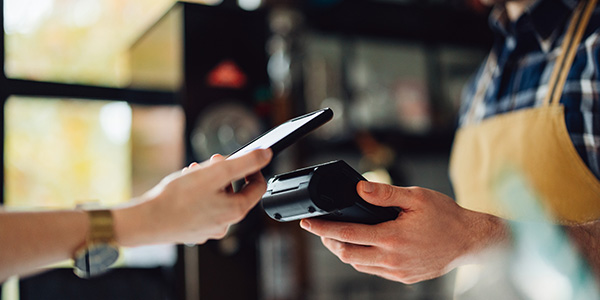
Contactless payments are not only more hygienic; it’s also faster, more secure and convenient. Discover the various ways in which you can use your Standard Bank Credit Card to Tap to Pay.
Banking & Digital Solutions
How Masterpass works
Shopping on your computer, tablet or smartphone has never been easier thanks to Masterpass, the digital wallet payment service that makes shopping online in South Africa as simple as ‘click and pay’.

Banking & Digital Solutions
Best ways to make payments on an overseas holiday
Planning an overseas holiday? Why worry about organising currency when we have a range of foreign exchange products to suit your needs?
We also offer

Pay your bills online
Staying on top of your bills doesn’t have to be time-consuming.
Whether you prefer using Online Banking or our Banking App, you have flexible options to settle everything from municipal bills to clothing accounts in just a few clicks.

Instant Money
Need to send money to a friend or relative who doesn’t have a bank account? Instant Money lets you send cash immediately to anyone with a South African cellphone number. You can also store and spend money safely with an Instant Money Wallet, which works like a basic bank account on your phone.
SnapScan App
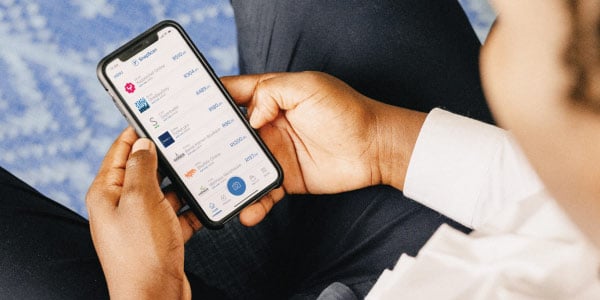
No need to carry cash, wait for the card machine or enter your card details with every online purchase. With SnapScan, you can use your smartphone to make payments, send money to friends and earn UCount Rewards Points. SnapScan is compatible with most bank cards, as well as the Standard Bank Virtual Card.